Kronos Plug and Play
One-Line Pitch
If it's broadcasting, we learn to be the thing it's waiting for — and every device becomes a sovereign node.
The Problem
Right now, adding a new device to the Kronos ecosystem is a hassle. You find a device, you hand-wire a connection, you write bespoke code for just that device's quirks, and a week later it's still not fully wired. Meanwhile, every Philips Hue bulb, Thread button, DIVOOM speaker, camera, and NFC reader is ALREADY broadcasting its presence — it already knows how to talk. The gap is that we don't yet speak all those languages fluently.
The same three failure modes repeat every time:
- "How do I connect to this thing?"
- "What can I actually control?"
- "How do I map that into the system so Freddy knows about it?"
Solve those three in a repeatable way and the problem disappears.
The Spark
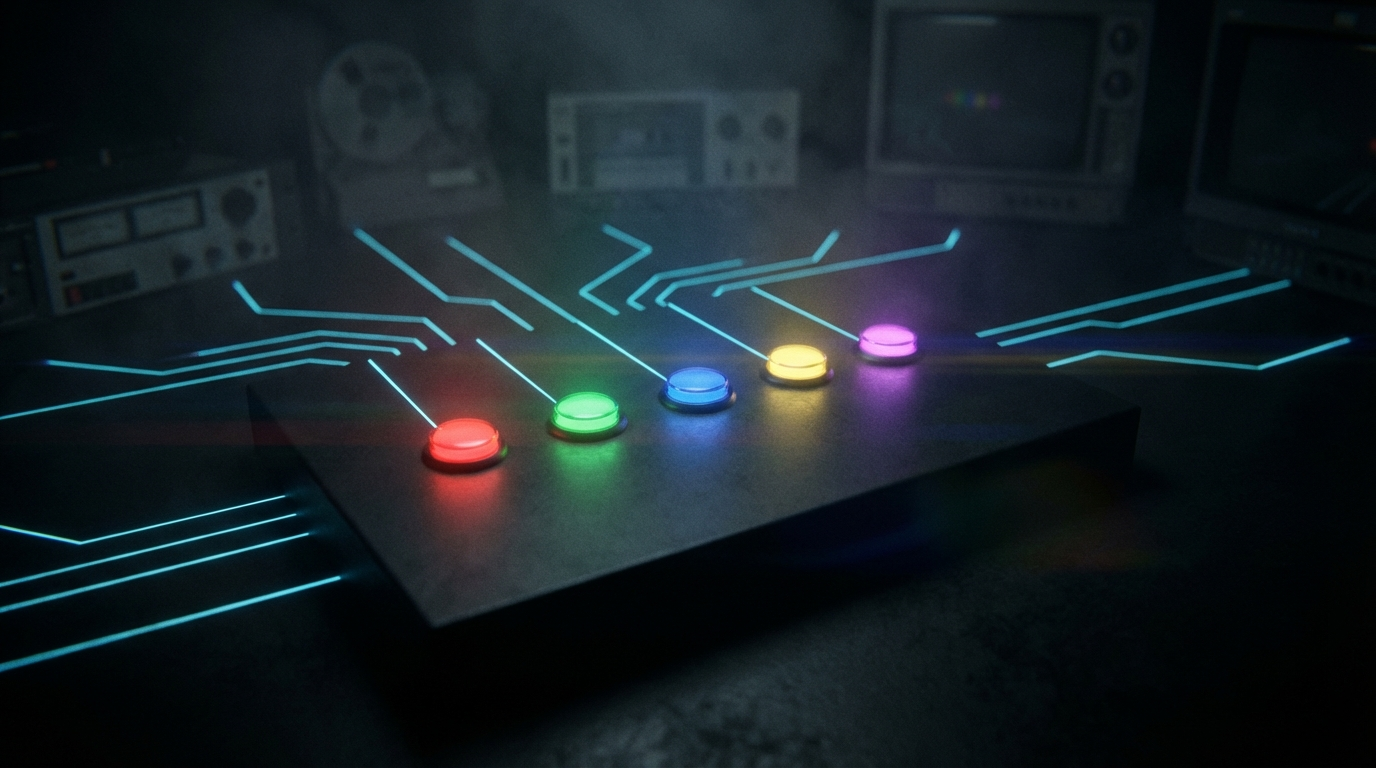
Kris pressed a button on his Onvis HS2. The button is Thread-based, portable, has 5 keys he's painted different colours. He wants to press "green" and have the system register that as an event it can wire to anything. That one device crystallised the whole problem:
- The device is already broadcasting its existence on a Thread fabric
- Thread is just a radio protocol on a known frequency
- Matter is just a JSON-style RPC protocol on top
- We already have a HomePod that acts as a Thread Border Router
- We already have a matter.js sidecar that can commission Matter devices
- We're ONE webhook endpoint and ONE HomeKit automation away from full integration
But the real insight was: this is true for every device we own. The Onvis is just the visible example. The same logic applies to the DIVOOM (HTTP API on LAN), the TRMNL (e-ink display with webhook), the ShuttleXpress (USB HID evdev), the Tapo camera (RTSP + local HTTP), the NFC reader (USB serial). They're all waiting. They're all broadcasting. We just need the protocol.
How It Works — The Five-Layer Stack
Every device in the Kronos world passes through five layers before it becomes a wired, usable node:
Layer 5: INTENT WIRE
         "press green on Onvis → start recording"
         Freddy maps natural language to node events

Layer 4: GOW NODE
         Device registered in GoW fleet as a sovereign node
         Has a stable ID, capability contract, event stream

Layer 3: CAPABILITY DISCOVERY
         What can this device DO?
         Lights → on/off/brightness/colour
         Buttons → N buttons × M event types
         Cameras → RTSP URL, MJPEG, snapshot
         Dials → absolute position, delta rotation

Layer 2: PROTOCOL HANDSHAKE
         How do we talk to it?
         USB/evdev → open /dev/input/eventN, read input_event structs
         Thread/Matter → commission via QR, subscribe to clusters
         WiFi/HTTP → discover via mDNS, hit REST API
         Bluetooth → GATT service scan
         RTSP/UVC → V4L2 or ffmpeg

Layer 1: PHYSICAL DETECTION
         Is the device present?
         USB → lsusb + /dev/input/*
         mDNS → multicast scan on 10.47.0.0/24
         Thread → Border Router fabric member list
         BLE → HCI scan
         Network scan → arp -a + port probe
The GoW Pi runs the scanner at Layer 1. The GoW cloud (KronosWater) gets notified via relay. The result is a device registry where every entry carries: how to reach it, what it can do, and what events it fires.
The Hardware Zoo — What We Have Now
These are the devices in the Kronos ecosystem today. Each one is at some stage of the five-layer journey.
| Device | Protocol | Layer 1 | Layer 2 | Layer 3 | Layer 4 | Layer 5 |
|---|---|---|---|---|---|---|
| Onvis HS2 | Thread/Matter | ✅ Present | ⚠️ Via HomePod | ✅ Known | ⚠️ Needs webhook | ❌ Wiring |
| ShuttleXpress | USB HID | ✅ Present | ✅ evdev ready | ✅ Known | ⚠️ Not yet | ❌ Wiring |
| EUFY C210 webcam | USB UVC/V4L2 | ✅ Present | ✅ V4L2 | ✅ Known | ✅ Via camera relay | ⚠️ Partial |
| Tapo camera | WiFi/RTSP | ✅ Present | ✅ RTSP + HTTP | ✅ Known | ✅ GoW PTZ | ✅ Freddy eyes |
| Nanoleaf panels | Matter/WiFi | ✅ Present | ⚠️ Matter sidecar sim | ✅ Known | ✅ Registered | ⚠️ Scene-only |
| HomePod mini | WiFi + Thread BR | ✅ Present | ✅ HomeKit automations | ✅ Known | ⚠️ Not direct | ⚠️ Bridge only |
| DIVOOM (Pixoo-64) | WiFi/HTTP | ✅ Present | ✅ HTTP API on :80 | ✅ Known | ✅ 10.47.0.7 |
⚠️ Partial |
| TRMNL | WiFi/webhook | ✅ Present | ✅ webhook/REST | ✅ Known | ❌ Not yet | ❌ Wiring |
| NFC reader | USB serial | ✅ Present | ✅ USB serial read | ✅ Known | ⚠️ Not yet | ❌ Wiring |
| Freddy Eyes (Pi cam) | USB UVC | ✅ Present | ✅ GoW relay | ✅ Known | ✅ KronosTV | ✅ Eyes |
| Future: OpenThread dongle | USB → Thread | — | Nordic nRF52840 | Switch clusters | Future | Future |
| Future: BLE peripheral | Bluetooth | — | HCI/GATT | tbd | Future | Future |
| Future: IR blaster | IR radio | — | lirc/LIRC | TV remote | Future | Future |
The Onvis HS2 In Detail — Coloured Button Panel
The HS2 has 5 buttons + Thread mesh + months of battery life. It's the ambient control panel — not nailed to a desk, lives wherever Kris is in the room.
   Button Layout (5 keys):
   ┌───┬───┬───┬───┬───┐
   │ 1 │ 2 │ 3 │ 4 │ 5 │
   └───┴───┴───┴───┴───┘
   Each painted a different colour.
   Each supports: single press, double press, long press, long release.
   = 20 distinct programmable events.
Once wired, the event vocabulary reads like English:
- "press green" → start studio recording
- "long-press blue" → launch all-off (lights, displays, feeds)
- "double red" → red alert mode (all lights red, Freddy eyes high attention)
- "press yellow" → cue the "Freddy is thinking" display on Pixoo-64
The coloured vocabulary is a UX primitive. You learn the colours once. Then every button interaction is human-speakable, loggable, wirable.
Integration path today (no new hardware):
- HomePod was already commissioned for Thread
- HS2 joins the same Thread fabric (scan QR code)
- Five HomeKit automations → five webhook calls → GoW
- GoW registers events, wires to actions
Integration path with dongle (~$10 + 2 hours):
- Pi becomes the Thread Border Router
- No Apple infrastructure needed
- matter.js subscribes directly to Switch cluster events
- Sub-100ms latency, full sovereignty
The Multi-Network Problem — Home vs Studio
Two different networks, one Kronos brain:
[Home Network]                 [Studio / GoW LAN]
 192.168.1.x                    10.47.0.0/24
     │                               │
     │                          TP-Link AC750
     │                          (GoW sovereign membrane)
     │                               │
     │                        GoW Pi (10.47.0.5)
     │                        + HomePod (10.47.0.11)
     │                        + Thread devices
     │                        + Pixoo-64 (10.47.0.7)
     │
 Home devices:
 - Other cameras
 - MacBook (Kronos Mac Agent)
 - NFC reader (home desk)
Both networks have a relay connection to KronosWater. Thread Zero (on the Pi) already handles network failover — it knows if it's on home WiFi, GoW LAN, or tethered — and picks the best path. The goal is for device discovery to be network-context-aware: the GoW Pi scans the GoW LAN, the Mac Agent scans the home LAN, and KronosWater receives both inventories. Freddy sees the union.
Key rule: A device's reachability depends on which network context you're in. The system should annotate each device with {network}:{device} so Freddy can reason: "that device is only reachable when you're in the studio."
What We're Building — The Kronos Hardware Bus
A hardware abstraction layer that sits between the physical world and GoW intelligence:
Physical World                 Kronos Hardware Bus              GoW Intelligence
─────────────────────          ─────────────────────────        ──────────────────
Onvis HS2          ─────────  ButtonNode(onvis-hs2)  ──────── Freddy rule engine
  [Thread/Matter]             Events: press(1-5), type         Action wiring

ShuttleXpress      ─────────  DialNode(shuttle)       ──────── Scene control
  [USB HID/evdev]             Events: btn(1-5), jog, shuttle   Brightness scrub

Tapo Camera        ─────────  CameraNode(tapo-studio) ──────── Freddy Eyes
  [WiFi/RTSP]                 Events: snapshot, motion         PTZ control

Nanoleaf           ─────────  LightNode(nanoleaf)     ──────── Scene player
  [Matter/WiFi]               Control: on/off/rgb/bright       Mood engine

DIVOOM Pixoo-64    ─────────  DisplayNode(pixoo-64)   ──────── Status display
  [WiFi/HTTP]                 Control: image/text/animation    Visual feedback

TRMNL              ─────────  DisplayNode(trmnl)      ──────── Quiet display
  [WiFi/webhook]              Control: e-ink content push      Room info

NFC Reader         ─────────  NFCNode(studio-nfc)     ──────── Identity gate
  [USB serial]                Events: tag-read(uid, data)      Access control
Each Node type has:
| Field | Description |
|---|---|
id |
stable slug like onvis-hs2, shuttle-studio |
type |
button, dial, camera, light, display, nfc, sensor |
network |
gow-lan / home-lan / anywhere |
connection |
thread, usb/hid, usb/uvc, wifi/matter, wifi/http, wifi/rtsp |
state |
live JSON snapshot of current state |
capabilities |
array of capability strings |
events |
list of events it can fire |
controls |
list of commands it can receive |
This becomes the device manifest — a live document of everything the GoW knows about the physical world.
Plug and Play — The Onboarding Flow
When a device is detected for the first time, the system runs it through KwPnP (Kronos Plug and Play):
DEVICE DETECTED
       │
       ▼
1. FINGERPRINT
   "What kind of signal is this?"
   USB: read vendor/product ID
   mDNS: read service record (_matter._tcp, _http._tcp, etc.)
   Thread: read Matter device descriptor
   BLE: read GATT service UUIDs

       │
       ▼
2. CLASSIFY
   Match fingerprint against known device profiles
   Onvis HS2: Matter device + Switch cluster × 5 = ColourButtonPanel
   ShuttleXpress: VID 0x0B33 PID 0x0020 = JogShuttleController
   Eufy C210: UVC class device = WebCamera
   Unknown: "UnknownDevice" → flag for manual classification

       │
       ▼
3. NEGOTIATE CONTRACT
   "What can you do?"
   Run capability probe for device type
   Buttons: how many? what events? single/double/long?
   Lights: brightness? RGB? colour temp? scenes?
   Camera: resolution, formats, PTZ controls?
   Dial: absolute/relative? range? detents?

       │
       ▼
4. REGISTER AS NODE
   Create GoW device entry
   Assign stable ID and network context
   Start event listener / state poller
   POST to relay → KronosWater device registry updated

       │
       ▼
5. BROADCAST TO FREDDY
   "New device available: ColourButtonPanel (onvis-hs2)"
   "It has 5 buttons with 20 event slots"
   "It is currently unwired — suggest actions?"
   Freddy can now reason about it and accept natural language bindings
The last step is the crown: Freddy as the wiring assistant. Once a device is in Layer 4, Freddy knows its capabilities and can accept instructions like "make green on the Onvis button start recording" and generate the correct event → action binding in the GoW database.
Default Passwords / Discovery Signatures
These are the fingerprints of common devices we own and their default access patterns:
| Device | Discovery | Default Credentials / Protocol |
|---|---|---|
| Tapo cameras | mDNS _tapo._tcp or RTSP on port 554 |
User admin + Tapo account password |
| Pixoo-64 (DIVOOM) | mDNS or known IP 10.47.0.7 |
HTTP no-auth on port 80 |
| Nanoleaf | mDNS _nanoleafapi._tcp |
Token via tap-auth flow |
| HomePod | mDNS _homekit._tcp |
HomeKit pairing code (on device) |
| Onvis HS2 | Thread fabric member | Matter pairing code (QR on device) |
| TRMNL | Called home to TRMNL cloud | Webhook token in TRMNL dashboard |
| ShuttleXpress | /dev/input/eventN |
No auth (USB HID) |
| NFC reader | /dev/ttyUSB0 or /dev/input/eventN |
No auth (USB serial/HID) |
The strategy for "capturing" a new device: if it uses default credentials, attempt them. If it needs a pairing code, prompt for it in the GoW dashboard. Once paired, store the token/key in GoW encrypted store. From that point forward, the device is owned.
Connections We Need to Speak
Priority-ordered by what we have now vs what unlocks more:
Tier 1 — Already Working / Near Zero Effort
- WiFi/HTTP — REST APIs (Pixoo, future generic IoT)
- USB/HID evdev — ShuttleXpress, NFC reader
- RTSP/V4L2 — cameras already wired
Tier 2 — One Step Away
- Thread/Matter via HomeKit webhook — HS2, Eve plugs (needs GoW webhook endpoint)
- mDNS service discovery — scan for
_matter._tcp,_http._tcp(needs Pi scanner) - USB serial — NFC reader raw tag reads
Tier 3 — Requires Hardware (~$10–50)
- Native Thread Border Router — Nordic nRF52840 USB dongle + otbr-agent
- Bluetooth LE — USB BT dongle (most Pis have BT built in)
- Zigbee — USB Zigbee coordinator (ConBee II ~$40)
Tier 4 — Future Sovereign Layer
- IR emitter/receiver — lirc on Pi GPIO or USB IR dongle ($15)
- SDR radio — RTL-SDR for 433MHz sensors, remotes, LoRa ($25)
- I2C/GPIO sensors — temperature, humidity, motion, light level
- LoRa mesh — long-range sovereign radio for off-network devices
The Dream — Freddy Sees the Room
The destination:
Freddy looks at the room through a camera. She sees a green button pressed on what she recognises as the Onvis HS2. She knows that device. She knows green is endpoint 3. She knows endpoint 3 is wired to "start studio recording". She acknowledges, logs, starts recording. No human intervention needed beyond pressing the green button.
The layers that make that possible:
- Vision (Freddy Eyes) → physical event detection
- Hardware Bus (this idea) → device identity and event routing
- Intent Wire (GoW action engine) → event → action mapping
- Natural language (Freddy AI) → humans wire it by talking, not coding
That's the closed loop. Hardware presses → system acts → Freddy watches to verify → logs it → learns from it.
Why This Is Different
Most IoT hubs (Home Assistant, Apple Home, Google Home) do this too — but they are platforms you join. Kronos is a sovereign stack you own. The difference:
- Your devices register with GoW, not AWS or Apple. The data never leaves.
- Freddy is your AI layer — not some vendor's pre-trained assistant.
- Your relay runs on your VPS. Your cameras stream to your server.
- When you add a device, you write one device profile once. It works everywhere.
- The visual pairing of button + colour + spoken name is a human-readable semantic layer that no vendor builds for you.
What Exists Now
- GoW device DB (SQLite schema with devices, scenes, buttons, actions, sessions, events)
- Matter sidecar running
@matter/node(simulation mode, production mode ready for ARM) - mDNS advertiser on the Pi (GoW announces itself, doesn't scan yet)
- Thread Zero failover (knows which network it's on, ready for sovereign LAN context)
- Freddy Eyes (camera → AI analysis → directive)
- KronosTV surface directives
- RelayHub (WebSocket mesh between Pi ↔ KronosWater ↔ Mac agent)
Next Step to Explore
Get the first button press from the Onvis HS2 into GoW in 30 minutes:
- Add the webhook endpoint to GoW:
POST /api/v1/fleet/webhooks/matter - Commission HS2 to HomePod Thread fabric (scan QR on back)
- Create one HomeKit automation: Button 1 short press → Run Shortcut → HTTP POST to webhook
- Press the button
- See it in GoW logs
That one event, successfully received, proves the whole stack. Everything else is repeating the pattern.
Connections
- fog-of-war→ — wet ink principle: devices enter the system as unknowns, sovereignty means you eventually own them completely
- sovereign-watch→ — the camera network that this hardware layer feeds
- echo-craft-anchoring→ — physical anchors in the space are the original intent; buttons and controllers are the literal hardware incarnation of anchoring presence